


 Australia
 中国大陆
中国大陆 日本
日本


 Türkiye


 Italia
 Netherlands
 Belgium
 Greece
 Polska
 Norway
 Sweden
 Finland
 Denmark
 Hungary
 Czechia
 Slovenia
 Croatia
 Switzerland
 United Kingdom
 Canada


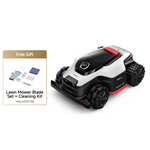


Dreame A3 AWD Robot Lawn Mower
Edge to Edge, Power to Climb
- OmniSense™ 3.0 3D Vision sees your entire lawn. No RTK. No Wires. No Blind Spots.
- All-Terrain 4WD System:80% (38.7°) slopes, 2.2" obstacles
- 300+ Obstacles Detection & Avoidance
- High-Capacity Battery for Extended Runtime
- Versatile Mowing Management via App
- Worry-free Security System:Link to prevent. Alert to warn. Locate to recover.
- Enjoy 1 Year of Complimentary 4G Data
$1,599.99
Regular price
$1,999.99
20%
Sale price
Unit price
per
 Special Offers
Save $400.Limited time offer.


OmniSense™ 3.0 3D Vision sees your entire lawn
No RTK.No Wires. No Blind Spots.


No RTK.No Wires.
23.6" Tight-Space
Agility
Agility


All-Terrain 4WD System
80% (38.7°) slopes, 2.2" obstacles


EdgeMaster™
<1.9" Edge-to-Edge Cutting


Up to 150 Zones
Management
Management


300+
Obstacles Avoidance


Worry-free Security System


Sees Everything, Sets Up Nothing
Upon startup, the system immediately initiates mapping without the need for boundary lines, beacons, GPS stakes, or antennas. The intelligent system takes full control. It can automatically recognize lawn boundaries and generate a 3D virtual map covering up to 0.5 Acre


No Wires


No RTK Stations
360° 3D LiDAR
Up to 164"(50m)* detection range, 360° field of
view, centimeter-level precision.
view, centimeter-level precision.


Binocular AI Vision
High-definition imaging with intelligent real-world object
recognition.
recognition.


360°
Super-Wide FOV
164"(50m)*
Detection Range
0.25-0.5 Acre
Point Cloud Acquisition
0.79" (2cm)
Obstacle Width


With

120°
FOV
98"(30m)
Detection Range


With
Others
300+ Obstacle Avoidance
Safely avoids kids, pets, and everyday surprises.


With
- Localized Point Cloud Stitching
- Noisy Data and Inaccurate Recognition
- Position Drift and Unstable Performance


With
Others
Reliable Navigation,
Precise Signal
The mower maintains stable navigation across various scenarios, whether in GPS-limited areas like shaded spots or narrow passages, or in complex lighting such as low light or direct sunlight. It consistently follows the optimal path efficiently.


All-Terrain 4WD System
80% (38.7°) Slopes
Climbing, 2.2" Obstacles
Crossing
With true 4-wheel drive, this remote control lawn mower climbs slopes up to 80% (38.7°) and crosses obstacles up to 2.17"*-so hills, roots, and rough patches won't interrupt your mowing routine


All-Terrain 4WD
Performance
Performance
2.2" Obstacles
Crossing
Crossing
23.6" Tight-Space
Agility
Agility
Your Perfect Lawn, Your Way
Adjust the cut to match your lawn, your season, and your style, right from the Dreamehome App. Choose a cutting height from 1.2"–3.9" (3–10 cm*), covering everyday trims and thicker growth up to 5.9" (15 cm) for a perfectly uniform result.


Up to 150 Zones Management for Tailored Lawn Care
Total lawn mastery, simplified. With 150-zone capacity, you can customize height, frequency, and patterns for different sections of your estate. Experience fully automatic, tailored maintenance that adapts to the unique layout of your home.


Reliable Power to Cover
Your Lawn
Choose from three power modes to match your yard's demands and your schedule. Featuring Auto-Recharge and Smart Resume, the A3 Pro ensures your entire yard is finished by picking up right where it left off after a quick power boost.


Standard:
0.25 Acre/24hrs


Efficient
0.50 Acre/24hrs


Rush:
0.54 Acre/24hrs


Triple-Layer Protection
Link to prevent. Alert to
warn. Locate to recover.
Lift-up alert
4G Real-Time
Tracking
Tracking
PIN Code
Lockout
Lockout
AirTag
compatibility
compatibility


Influencer insight and Mowing Operations
Review
Unboxing

This DREAME Robot Lawnmower Thinks for Itself | A3 AWD Pro 3500
Curious about the latest in yard care? This video takes a detailed look at the DREAME A3 AWD Pro 3500, a truly incredible robot lawn mower.

Dreame A3 AWD Pro – No RTK, No Wires... Just Drop It and Mow
Most robot lawn mowers still rely on RTK antennas, boundary wires, and complicated setups — but the Dreame A3 AWD Pro takes a completely different approach.

Robot Mower Review - Hills, Obstacles and Productivity
Dreame A3 AWD Pro Lawn Mower: Links below to purchase or learn more.


Package List
Robot Lawn Mower x1


Charging Tower x1 & Baseplate x1


Power Supply x1


Screws x8 / Hex Key x1


Spare Blades x9 / Holders x3


Lint-Free Cloth x1


User Manual x1


Quick Start Guide x1


Specifications


Robot Lawn Mower Dimensions
635mm×434mm×295mm
Robot Lawn Mower Weight
16.1kg
Mapping & Navigation
OmniSenseth 3.0
Boundary Setup Type
Remote Control + Al Auto-Mapping
Obstacle Avoidance
360°3D LIDAR + Binocular Al Vision
Working Area Capacity
A3 AWD 1000:1,000m² 0.25 Acre
A3 AWD 2000:2,000m² 0.50 Acre
A3 AWD 2000:2,000m² 0.50 Acre
Drive System
AWD + Hub Motor
Universal Wheels x 2 + Off Road Wheels x 2
Universal Wheels x 2 + Off Road Wheels x 2
Max. Slope Performance
80%(38.7°)
Mowing Width
7.9"
Cutting Height
1.2"-3.9" (in 0.2"increments)
Edge Retention
Disc-to-Edge Distance: < 1.91"
Dual-Map
Y
Multi-Zone Management
Up to 150 Zones
Mowing Modes
All-Area/Zone/Edge/Spot/Manual
Battery Capacity
5Ah
4G Signal
Y
Noise Level
<62.8dB
Which Robotic Lawn Mower is Best for You?
A3 AWD Series


A3 AWD Pro Series


Max. Mapping Area
0.25 Acre / 0.50 Acre
OmniSense™ 3.0:
360° 3D LiDAR + Binocular AI Vision
OmniSense™ 3.0:
360° 3D LiDAR + Binocular AI Vision


Max. Mapping Area
0.62 Acre 0.87 Acre 1.20 Acre
OmniSense™ 3.0:
360° 3D LiDAR + Binocular AI Vision
OmniSense™ 3.0:
360° 3D LiDAR + Binocular AI Vision


Obstacle Avoidance
360° 3D LiDAR + Binocular AI Vision


Obstacle Avoidance
360° 3D LiDAR + Binocular AI Vision


Cutting Width & Height
7.9", 1.2"-3.9"


Cutting Width & Height
15.8", 1.2"-3.9"


Max Climbing Ability
80% (38.7°)


Max Climbing Ability
80% (38.7°)


Edge Retention
EdgeMaster™: ≤ 1.9"


Edge Retention
EdgeMaster™2.0: ≤1.2"


Narrow Passage
≤23.6"


Narrow Passage
≤31.5"


Garden Guardian
Live Video Tracking, Human Detection,
Patrols, Live Speaking
Patrols, Live Speaking


Garden Guardian
Live Video Tracking, Human Detection,
Patrols, Live Speaking
Patrols, Live Speaking


Why can't the robot return to the charging station?
1) Ensure there are no obstacles blocking the path between the charging station and the work area.
2) Ensure the area within 1 meter around the charging station is open and flat.
3) Check if the charging station has been moved. If it has, you can remotely control the robot to return to the charging station. The station's location will be automatically updated the next time the robot leaves the charging station and starts working.
4) Ensure the charging station is connected to an electrical outlet and has power.
5) Check that the reflective films on the charging station are clean and unobstructed.
6) Check the baseplate of the charging station and the drive wheels to ensure they are free of mud or dirt.
7) Make sure the robot's lidar is clean and unobstructed.
8) Check the robot's battery level. If the robot’s battery is depleted, manually move it to the charging station for recharging.
If the problem persists, there may be an issue with the robot's positioning. Please try remapping the area. For additional assistance, contact the Dreame after-sales service team.
2) Ensure the area within 1 meter around the charging station is open and flat.
3) Check if the charging station has been moved. If it has, you can remotely control the robot to return to the charging station. The station's location will be automatically updated the next time the robot leaves the charging station and starts working.
4) Ensure the charging station is connected to an electrical outlet and has power.
5) Check that the reflective films on the charging station are clean and unobstructed.
6) Check the baseplate of the charging station and the drive wheels to ensure they are free of mud or dirt.
7) Make sure the robot's lidar is clean and unobstructed.
8) Check the robot's battery level. If the robot’s battery is depleted, manually move it to the charging station for recharging.
If the problem persists, there may be an issue with the robot's positioning. Please try remapping the area. For additional assistance, contact the Dreame after-sales service team.
Why can't the robot charge in the charging station?
1) Check the charging station to ensure that it is connected to an electrical outlet and has power.
2) Ensure the charging contacts on the robot and the charging station are properly connected.
3) Check the charging contacts on the robot and the charging station to make sure they are clean.
If the problem persists, contact the Dreame after-sales service team.
2) Ensure the charging contacts on the robot and the charging station are properly connected.
3) Check the charging contacts on the robot and the charging station to make sure they are clean.
If the problem persists, contact the Dreame after-sales service team.
Will poor Wi-Fi signal in my garden affect mapping and mowing?
The robot is equipped with a Bluetooth feature, allowing it to connect to the app to complete mapping successfully without requiring a Wi-Fi connection. After mapping is complete, you can set a schedule, and the robot will follow it to mow autonomously, even without network connectivity. Additionally, you can press the buttons on the control panel to start tasks. Also, the Link module is pre-installed in the robot, offering up to 3 years of free Link service, which allows the robot to stay connected to the app and be remotely controlled, even without Wi-Fi.
My Wi-Fi signal is strong, but the robot always fails to connect to the network. What should I do?
1) Ensure that the firewall or other security features on your home Wi-Fi are disabled. If they are enabled, please disable them before retry connecting.
2) Check your Wi-Fi password to confirm it doesn’t contain punctuation marks or a mix of uppercase and lowercase letters. If it does, try changing it to a simpler password without special characters, then retry connecting.
3) Check your robot’s binding status to ensure it is not already linked to another account. The robot can only be connected to one account at a time. To switch accounts, remove the robot from the current account in the app before proceeding with the network setup.
If the problem persists, contact Dreame after-sales service for further assistance.
2) Check your Wi-Fi password to confirm it doesn’t contain punctuation marks or a mix of uppercase and lowercase letters. If it does, try changing it to a simpler password without special characters, then retry connecting.
3) Check your robot’s binding status to ensure it is not already linked to another account. The robot can only be connected to one account at a time. To switch accounts, remove the robot from the current account in the app before proceeding with the network setup.
If the problem persists, contact Dreame after-sales service for further assistance.
Does the robot support 4G connection?
Yes, the robot comes with a pre-installed Link module that includes Link Service, free for up to 3 years once the robot is powered on. This allows the robot to stay connected to the app and be remotely controlled without a Wi-Fi connection.
How do I map my garden if its front and back yards are not connected?
a. If your front and back yards are not connected but there is a passageway the robot can travel through:
You can first create the boundary of the front yard, then tap "Work zone" in the app to remotely control the robot to go to the backyard to create the boundary. Next, tap "Path" to remotely control the robot to create a path connecting the front and back yards. Finally, generate a complete map.
b. If there is a physical barrier between the front and back yards that prevents the robot from moving between them:
The robot supports two individual maps. You can create separate maps for the front and back gardens, then switch between them as needed.
You can first create the boundary of the front yard, then tap "Work zone" in the app to remotely control the robot to go to the backyard to create the boundary. Next, tap "Path" to remotely control the robot to create a path connecting the front and back yards. Finally, generate a complete map.
b. If there is a physical barrier between the front and back yards that prevents the robot from moving between them:
The robot supports two individual maps. You can create separate maps for the front and back gardens, then switch between them as needed.
Do I need two charging stations to create two maps?
Yes, because the robot needs to start from the charging station for mapping, we recommend placing a separate charging station for each map. When switching between maps in the app, simply move the robot manually to the corresponding area.
Can I place the charging station outside the lawn when creating a map?
Yes, you can install the charging station in any suitable location. If the charging station is outside the work area, you can tap "Path" during mapping to remotely control the robot to move from the work area to the area in front of the charging station, creating a connecting path. The robot will not activate the blade disc while moving along this path to avoid damaging the surface.
The boundary automatically detected by the robot is incorrect. How can I modify it?
1) During Auto Boundary Detection, you can exit Auto mode at any time and use the "Undo" feature to remotely control the robot and remove unwanted boundary sections.
2) After the map is generated, you can also modify it through the "Map Editing" section, where you can expand or split zones as needed.
2) After the map is generated, you can also modify it through the "Map Editing" section, where you can expand or split zones as needed.
There have been some changes to my garden. Do I need to remap?
Yes, you can directly edit the existing map in "Map Editing" via the app. If your garden has changed significantly, we recommend remapping to avoid potential issues with positioning.
Will moving the charging station's location after mapping affect the robot's work?
If you move the charging station's position substantially while the robot is working, it will lead to a failure in docking. However, the robot will update the charging station's location automatically each time it leaves the charging station to start a task. If you have moved the charging station outside the work area, you can go to Map Editing > Set Path to create a path to connect the charging station with the work area.
How do I modify the map after it is complete?
1) Expanding a Zone: Go to "Map Editing" and select "Set zone". If the new zone doesn’t overlap with an existing one, a path is required to connect them. If they do overlap, the new zone will automatically merge with the existing one.
2) Deleting a Zone: In "Map Editing", you can delete independent zones that have not been separated. To remove part of a zone, use the "Set no-go zone" function to draw the area you want to delete.
2) Deleting a Zone: In "Map Editing", you can delete independent zones that have not been separated. To remove part of a zone, use the "Set no-go zone" function to draw the area you want to delete.
A
Makes excellent lines and love the live progress of the mowing area on the app!
R
I ended up replacing it with the 2500 pro model, which has bigger range and 2 cutting disks instead of one, but most all else is same. I love the machine’s AWD as other RWD machines I had used to get stuck in my bumpy yard. Customer service is definitely exceptional and responsive. I have other Dreame products, big fan
V
Working get so far
S
Amazing!
B
Thumbs up!